Back
Parking POS Machine: Features, Payments & Uses
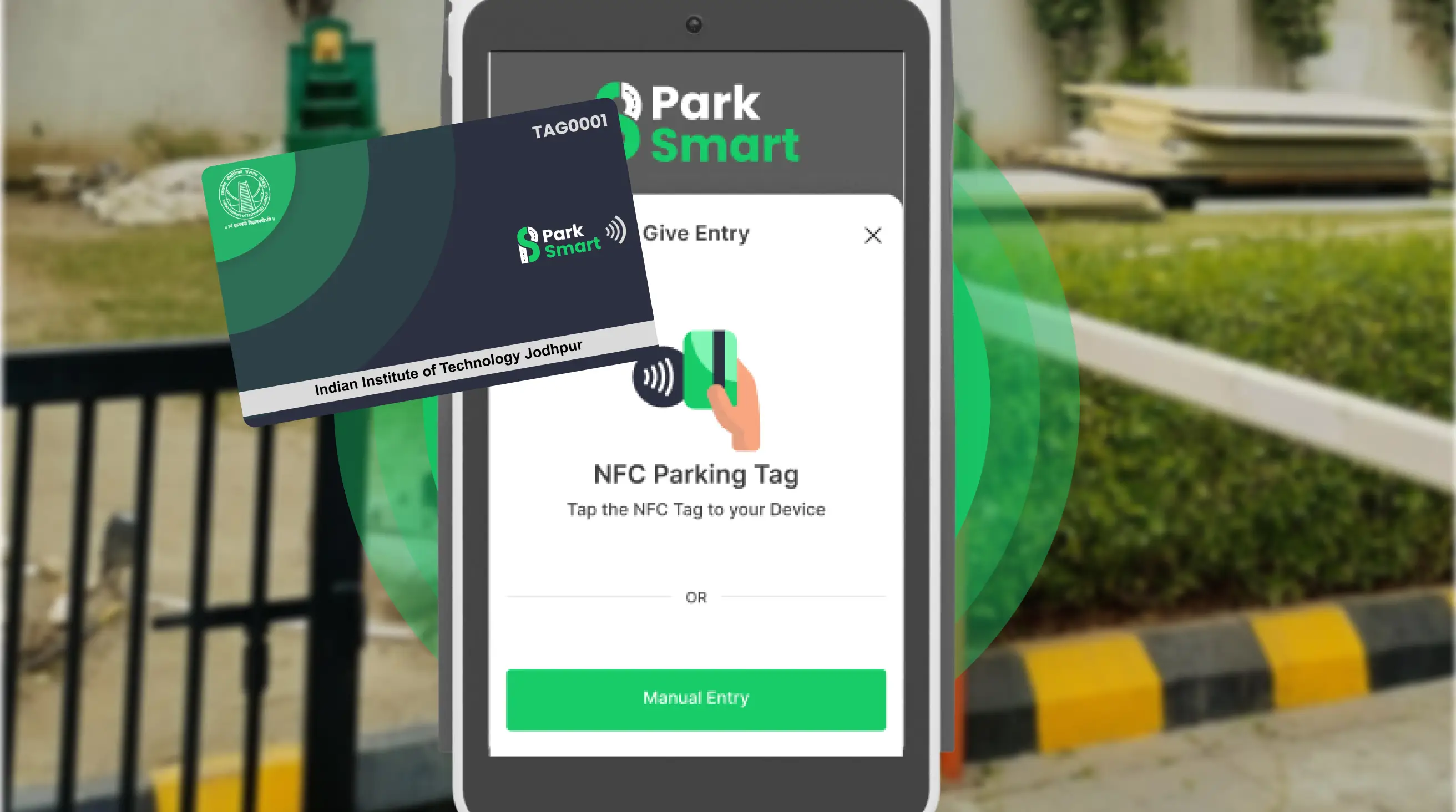
Understand how parking POS systems simplify daily parking operations, from ticket generation to payment tracking and transaction reporting.
Parking POS Machine: Features, Payments and How Operators Use It
A parking facility handles more than vehicles entering and leaving. Staff also need to issue tickets, collect parking fees, record vehicle details and maintain accurate payment records. When staff manage these tasks manually, mistakes can happen, especially during busy hours.
A parking POS machine helps staff manage parking transactions through a digital system. Depending on its configuration, it can support ticketing, payment collection, vehicle records and daily reports.
For shopping malls, hospitals, offices and standalone parking lots, the right POS setup can make daily parking operations easier to manage.
What Is a Parking POS Machine?
A parking POS machine is a device parking staff use to process transactions and record payments. POS stands for Point of Sale.
Unlike a general retail POS system, a parking POS setup may also record vehicle numbers, entry times, ticket details, parking charges and payment status.
For example, when a vehicle exits a paid parking lot, an attendant can use the POS to retrieve its parking details, calculate the applicable fee and record the payment. The transaction can then be included in the facility's available reports.
The exact features depend on the device and the parking management software connected to it.
How Does a Parking POS Machine Work?
A typical parking POS workflow includes the following steps.
1. Vehicle entry: Staff record the vehicle details and create a parking transaction. Depending on the setup, this may involve manual entry, ticket generation or an integrated vehicle identification system.
2. Parking record creation: The system saves available information, such as the vehicle number, ticket ID and entry time.
3. Fee calculation: The parking charge is calculated according to the configured rates. These may depend on parking duration, vehicle category or a fixed fee.
4. Payment collection: The customer pays using a supported payment method, such as cash or an enabled digital payment option.
5. Transaction recording: The POS records the payment status and associated parking details. If integrated with the exit system, the transaction may also support the exit verification process.
6. Daily reporting: Managers review the recorded transactions and compare the reported collection with actual receipts.
This process can help staff maintain organised records without depending entirely on handwritten registers.
Important Features of a Parking POS Machine
Before selecting a parking POS machine, operators should understand which features are necessary for their facility.
1. Parking Ticket Generation
A ticketing feature allows staff to create a reference for each parking session. Depending on the system, the ticket may include a ticket number, vehicle details and entry time.
These records help staff retrieve parking transactions when customers need assistance.
2. Vehicle Information Recording
A POS system can store details such as vehicle registration numbers, entry times, ticket IDs and payment status.
Keeping this information together makes it easier to connect a parking payment with the correct vehicle transaction.
3. Multiple Payment Methods
Different customers may prefer different payment options. Depending on the device and payment integration, a parking POS setup may support cash, UPI or card payments.
Before purchasing, confirm which payment methods are actually supported and whether additional hardware or a payment provider is required.
4. Parking Fee Calculation
Manual calculations can become difficult when different vehicle categories or parking durations have different rates.
A suitable POS system can apply configured pricing rules to calculate parking charges. Operators should verify that the system supports their required rates, discounts and additional charges.
5. Transaction Reports
Reports help parking managers review daily activity. Depending on the software, these may include total transactions, payment methods, collections, refunds, discounts and pending payments.
These records can help identify differences between the system's reported collection and the actual amount received.
Which Payment Methods Can a Parking POS Machine Support?
The available payment methods depend on the hardware, software and payment provider.
Payment method | What to check |
Cash | Whether cash collections can be recorded and reconciled |
UPI | Whether the payment integration confirms successful transactions |
Debit and credit cards | Whether a compatible card terminal is available |
Digital wallets | Whether the selected provider supports the required options |
For example, an Indian parking facility may collect some payments through UPI and others in cash. Recording each transaction under the correct payment method helps managers review the daily totals.
Remember that recording a payment and confirming its final settlement are not always the same thing. Operators should also follow the payment provider's reconciliation process.
How Do Parking Operators Use POS Machines?
Standalone parking lots: Attendants can use a POS to issue tickets, record vehicle details and collect parking fees. Digital records can make it easier for owners to review daily transactions.
Shopping malls and commercial buildings: A POS can help staff process payments and maintain records during busy periods. Integration with parking management software can provide additional reporting capabilities.
Hospitals and hotels: Different parking categories, visitor transactions and approved discounts may need to be recorded separately. Operators should select a setup that supports their actual workflow.
Office buildings and IT parks: A POS can handle parking payments, while RFID or ANPR integrations may help identify regular or authorised vehicles when the systems are compatible.
Not every POS machine includes these integrations by default. Operators should confirm which functions are available in the proposed configuration.
How to Choose the Right Parking POS Machine
Before buying a parking POS machine, consider these practical points:
Transaction volume: Estimate how many vehicles the facility handles during normal and peak hours.
Payment options: Confirm whether the system supports the payment methods your customers use.
Ticketing: Check whether you need printed tickets, digital records or both.
Reporting: Ensure managers can access the transaction and collection reports they require.
Integration: Verify compatibility with existing ANPR cameras, RFID readers, boom barriers and parking software.
Connectivity: Ask what happens if the internet connection fails and how transactions are recovered.
Support and cost: Compare hardware, software, installation, maintenance and ongoing service charges.
Choosing a POS based on actual operational requirements can help avoid paying for features that the facility does not need.
Frequently Asked Questions
What is a parking POS machine used for?
It helps parking staff process transactions, record payments, manage ticket details and maintain vehicle-related records.
Can a parking POS machine accept UPI payments?
Yes, if the selected device or connected payment system supports UPI. Confirm the payment integration before purchasing.
Can a parking POS machine work with ANPR?
Yes, when the POS software and ANPR system are compatible and properly integrated. This can help link vehicle registration details with parking transactions.
Is a parking POS machine the same as a payment kiosk?
No. Parking staff typically operate a POS machine, whereas a payment kiosk generally lets customers make payments themselves.
Conclusion
A parking POS machine helps operators manage parking tickets, payments and transaction records in an organised way. The right setup depends on the facility's size, payment requirements, reporting needs and existing parking equipment.
ParkSmart offers parking management solutions that include POS-based ticketing for standalone ground parking. Before choosing a system, review your current parking process and confirm which features will best support your daily operations.
Parking POS Machine: Features, Payments and How Operators Use It
A parking facility handles more than vehicles entering and leaving. Staff also need to issue tickets, collect parking fees, record vehicle details and maintain accurate payment records. When staff manage these tasks manually, mistakes can happen, especially during busy hours.
A parking POS machine helps staff manage parking transactions through a digital system. Depending on its configuration, it can support ticketing, payment collection, vehicle records and daily reports.
For shopping malls, hospitals, offices and standalone parking lots, the right POS setup can make daily parking operations easier to manage.
What Is a Parking POS Machine?
A parking POS machine is a device parking staff use to process transactions and record payments. POS stands for Point of Sale.
Unlike a general retail POS system, a parking POS setup may also record vehicle numbers, entry times, ticket details, parking charges and payment status.
For example, when a vehicle exits a paid parking lot, an attendant can use the POS to retrieve its parking details, calculate the applicable fee and record the payment. The transaction can then be included in the facility's available reports.
The exact features depend on the device and the parking management software connected to it.
How Does a Parking POS Machine Work?
A typical parking POS workflow includes the following steps.
1. Vehicle entry: Staff record the vehicle details and create a parking transaction. Depending on the setup, this may involve manual entry, ticket generation or an integrated vehicle identification system.
2. Parking record creation: The system saves available information, such as the vehicle number, ticket ID and entry time.
3. Fee calculation: The parking charge is calculated according to the configured rates. These may depend on parking duration, vehicle category or a fixed fee.
4. Payment collection: The customer pays using a supported payment method, such as cash or an enabled digital payment option.
5. Transaction recording: The POS records the payment status and associated parking details. If integrated with the exit system, the transaction may also support the exit verification process.
6. Daily reporting: Managers review the recorded transactions and compare the reported collection with actual receipts.
This process can help staff maintain organised records without depending entirely on handwritten registers.
Important Features of a Parking POS Machine
Before selecting a parking POS machine, operators should understand which features are necessary for their facility.
1. Parking Ticket Generation
A ticketing feature allows staff to create a reference for each parking session. Depending on the system, the ticket may include a ticket number, vehicle details and entry time.
These records help staff retrieve parking transactions when customers need assistance.
2. Vehicle Information Recording
A POS system can store details such as vehicle registration numbers, entry times, ticket IDs and payment status.
Keeping this information together makes it easier to connect a parking payment with the correct vehicle transaction.
3. Multiple Payment Methods
Different customers may prefer different payment options. Depending on the device and payment integration, a parking POS setup may support cash, UPI or card payments.
Before purchasing, confirm which payment methods are actually supported and whether additional hardware or a payment provider is required.
4. Parking Fee Calculation
Manual calculations can become difficult when different vehicle categories or parking durations have different rates.
A suitable POS system can apply configured pricing rules to calculate parking charges. Operators should verify that the system supports their required rates, discounts and additional charges.
5. Transaction Reports
Reports help parking managers review daily activity. Depending on the software, these may include total transactions, payment methods, collections, refunds, discounts and pending payments.
These records can help identify differences between the system's reported collection and the actual amount received.
Which Payment Methods Can a Parking POS Machine Support?
The available payment methods depend on the hardware, software and payment provider.
Payment method | What to check |
Cash | Whether cash collections can be recorded and reconciled |
UPI | Whether the payment integration confirms successful transactions |
Debit and credit cards | Whether a compatible card terminal is available |
Digital wallets | Whether the selected provider supports the required options |
For example, an Indian parking facility may collect some payments through UPI and others in cash. Recording each transaction under the correct payment method helps managers review the daily totals.
Remember that recording a payment and confirming its final settlement are not always the same thing. Operators should also follow the payment provider's reconciliation process.
How Do Parking Operators Use POS Machines?
Standalone parking lots: Attendants can use a POS to issue tickets, record vehicle details and collect parking fees. Digital records can make it easier for owners to review daily transactions.
Shopping malls and commercial buildings: A POS can help staff process payments and maintain records during busy periods. Integration with parking management software can provide additional reporting capabilities.
Hospitals and hotels: Different parking categories, visitor transactions and approved discounts may need to be recorded separately. Operators should select a setup that supports their actual workflow.
Office buildings and IT parks: A POS can handle parking payments, while RFID or ANPR integrations may help identify regular or authorised vehicles when the systems are compatible.
Not every POS machine includes these integrations by default. Operators should confirm which functions are available in the proposed configuration.
How to Choose the Right Parking POS Machine
Before buying a parking POS machine, consider these practical points:
Transaction volume: Estimate how many vehicles the facility handles during normal and peak hours.
Payment options: Confirm whether the system supports the payment methods your customers use.
Ticketing: Check whether you need printed tickets, digital records or both.
Reporting: Ensure managers can access the transaction and collection reports they require.
Integration: Verify compatibility with existing ANPR cameras, RFID readers, boom barriers and parking software.
Connectivity: Ask what happens if the internet connection fails and how transactions are recovered.
Support and cost: Compare hardware, software, installation, maintenance and ongoing service charges.
Choosing a POS based on actual operational requirements can help avoid paying for features that the facility does not need.
Frequently Asked Questions
What is a parking POS machine used for?
It helps parking staff process transactions, record payments, manage ticket details and maintain vehicle-related records.
Can a parking POS machine accept UPI payments?
Yes, if the selected device or connected payment system supports UPI. Confirm the payment integration before purchasing.
Can a parking POS machine work with ANPR?
Yes, when the POS software and ANPR system are compatible and properly integrated. This can help link vehicle registration details with parking transactions.
Is a parking POS machine the same as a payment kiosk?
No. Parking staff typically operate a POS machine, whereas a payment kiosk generally lets customers make payments themselves.
Conclusion
A parking POS machine helps operators manage parking tickets, payments and transaction records in an organised way. The right setup depends on the facility's size, payment requirements, reporting needs and existing parking equipment.
ParkSmart offers parking management solutions that include POS-based ticketing for standalone ground parking. Before choosing a system, review your current parking process and confirm which features will best support your daily operations.

Automated Gate Access & Parking Revenue Optimization
Eliminate manual errors and stop revenue leakage with automated RFID boom barriers, live occupancy tracking, and multi-mode POS payment processing for commercial properties.
144,200
+
Cars Managed by ParkSmart
110,100
+
Transactions Processed Daily
2,900
+
Parking Locations Integrated
299,100
+
Satisified Users
Increase Efficiency, Maximize Profit
Eliminate manual errors and stop revenue leakage with automated RFID boom barriers, live occupancy tracking, and multi-mode POS payment processing for commercial properties.
144,200
+
Cars Managed by ParkSmart
110,100
+
Transactions Processed Daily
2,900
+
Parking Locations Integrated
299,100
+
Satisified Users
Automated Gate Access & Parking Revenue Optimization
Eliminate manual errors and stop revenue leakage with automated RFID boom barriers, live occupancy tracking, and multi-mode POS payment processing for commercial properties.
144,200
+
Cars Managed by ParkSmart
110,100
+
Transactions Processed Daily
2,900
+
Parking Locations Integrated
299,100
+
Satisified Users
